You must have javascript enabled to use bicyclesi.com !

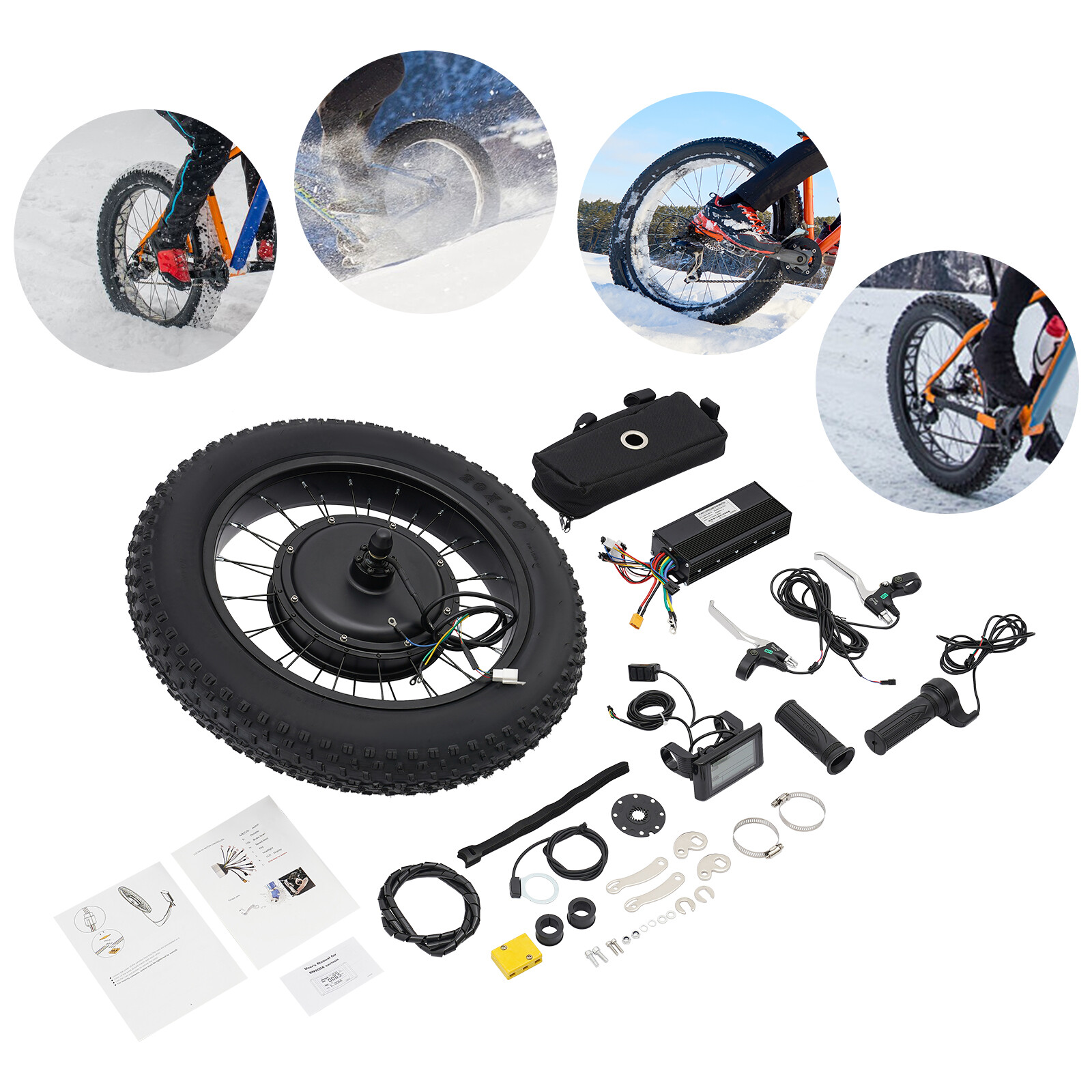
M5 LCD Display Electric Bike Conversion Kit 48V Component Speed Meter

5pin.6Pin.

USD $56.00

Condition : New

Free Shipping

{{variant_type_name}} :
eBay
SKU: 1.362.586.475 This site contains affiliate links for which we may be compensated Sporting Goods / Cycling / Bicycle Components & Parts / Electric Bicycle Components

Notify me when the price drops

We will email you if we find a lower price on this product!

Target price (USD) $

Interface Setting Instructions(M6-6PIN)
P01: Backlight Brightness - Level 1 (dimmest) to Level 3 (brightest);P02: Distance Unit - 0: KM; 1: MILE;P03: Voltage Rating - 24V, 36V, 48V, 60V, 64V (default: 36V);P04: Sleep Time - 0 = No sleep; Other values = Sleep time (range: 1-60; Unit: minutes);P05: Assist Gears - 0: 3-gear mode; 1: 5-gear mode; 2: 9-gear mode;P06: Wheel Diameter - Unit: INCH; Precision: 0.1; This parameter is related to the speed displayed on the instrument and must be entered correctly;P07: Number of Speed-Measuring Magnets - Range: 1-100;This parameter is related to the speed displayed on the instrument and must be entered correctly:
  • For standard hub motors: Directly enter the number of magnets;
  • For high-speed motors: Calculate the reduction ratio first, then enter the value = Number of magnets × Reduction ratio;Example: Motor magnet count = 20, Reduction ratio = 4.3 → Entered value = 86 (20×4.3);P08: Speed Limit - Range: 30-100 (100 = Unlimited speed); The entered value represents the speed limit ratio. The speed of each gear will be limited by the set ratio. For example, if set to 80, the speed of each gear will be 80% of the original (both assist and throttle are speed-limited);Note: The value here is based on kilometers. When the unit is switched from kilometers to miles, the speed value on the display interface will be automatically converted to the correct mile value. However, the speed limit value set in this menu under the mile interface will not be converted, resulting in a discrepancy with the actual displayed mile speed limit.
  • Note: Menus P09-P15 are only valid in the communication state.P09: Zero-Start/Non-Zero-Start Setting - 0: Zero Start; 1: Non-Zero Start;P10: Drive Mode Setting0: Assist Drive (Output assist level is determined by the assist gear; the throttle is inactive at this time).1: Electric Drive (Driven by the throttle; the assist gear is inactive at this time).2: Assist Drive and Electric Drive coexist simultaneously;P11: Assist Sensitivity Setting - Range: 1-24;P12: Startup Softness/Hardness Setting - Range: 1-5; 1 = Softest, increasing gradually to 5 = Hard Startup;P13: Assist Magnet Disk Type Setting - Three types: 5-10, 11, 12 magnets;P14: Controller Current Limit Setting - Unit: Byte; Range: -12 to 20 (corresponding to a current adjustment of -3~5A);P15: Controller Undervoltage Value - Range: ±5V;P16: ODO Reset Setting - Press and hold the Up button for 5 seconds to reset ODO;P17: Cruise Control Enable - 0: Cruise Control Disabled; 1: Cruise Control Enabled (Automatic cruise optional; only valid for Protocol 2);P18: Display Speed Ratio Adjustment - Range: 50%~150%;P19: Gear 0 Enable Bit - 0: Includes Gear 0; 1: Excludes Gear 0;P20: Protocol Selection - 0: Protocol 2; 1: 5S Protocol; 2: Reserved; 3: Reserved;P21: Throttle Gear Setting - 0: With Gears; 1: Without Gears (full speed in all gears);P22: EABS Intensity Setting - 0: No EABS; 1~5: 5 levels of EABS (increasing gradually; 5 = Strongest, motor locks up);P23: Electronic Brake Activation on Throttle Return to Zero - 0: Do not enter electronic brake; 1: Enter electronic brake;P24: Settings Interface Password - 0: No Password; 1: Password Enabled (default password: "666");Note: Due to product upgrades by the company, some display contents of the product you receive may differ from the manual, but this will not affect your normal use.
  • Interface Setting Instructions(M5-5PIN)
    P01: Backlight Brightness - Level 1 (dimmest) to Level 3 (brightest);P02: Distance Unit - 0: KM; 1: MILE;P03: Voltage Rating - 24V, 36V, 48V, 60V, 64V (default: 36V);P04: Sleep Time - 0 = No sleep; Other values = Sleep time (range: 1-60; Unit: minutes);P05: Assist Gears - 0: 3-gear mode; 1: 5-gear mode; 2: 9-gear mode;P06: Wheel Diameter - Unit: INCH; Precision: 0.1; This parameter is related to the speed displayed on the instrument and must be entered correctly;P07: Number of Speed-Measuring Magnets - Range: 1-100;This parameter is related to the speed displayed on the instrument and must be entered correctly:
    • For standard hub motors: Directly enter the number of magnets;
    • For high-speed motors: Calculate the reduction ratio first, then enter the value = Number of magnets × Reduction ratio;Example: Motor magnet count = 20, Reduction ratio = 4.3 → Entered value = 86 (20×4.3);P08: Speed Limit - Range: 30-100 (100 = Unlimited speed); The entered value represents the speed limit ratio. The speed of each gear will be limited by the set ratio. For example, if set to 80, the speed of each gear will be 80% of the original (both assist and throttle are speed-limited);Note: The value here is based on kilometers. When the unit is switched from kilometers to miles, the speed value on the display interface will be automatically converted to the correct mile value. However, the speed limit value set in this menu under the mile interface will not be converted, resulting in a discrepancy with the actual displayed mile speed limit.
    • Note: Menus P09-P15 are only valid in the communication state.P09: Zero-Start/Non-Zero-Start Setting - 0: Zero Start; 1: Non-Zero Start;P10: Drive Mode Setting0: Assist Drive (The assist output level is determined by the assist gear; the throttle is inactive at this time).1: Electric Drive (Driven by the throttle; the assist gear is inactive at this time).2: Assist Drive and Electric Drive coexist simultaneously;P11: Assist Sensitivity Setting - Range: 1-24;P12: Startup Softness/Hardness Setting - Range: 1-5; 1 = Softest, increasing gradually to 5 = Hard Startup;P13: Assist Magnet Disk Type Setting - Three types: 5-10, 11, or 12 magnets;P14: Controller Current Limit Setting - Unit: Byte; Range: -12 to 20 (corresponding to a current adjustment of -3~5A);P15: Controller Undervoltage Value - Range: ±5V;P16: ODO Reset Setting - Press and hold the Up button for 5 seconds to reset ODO;P17: Cruise Control Enable - 0: Cruise Control Disabled; 1: Cruise Control Enabled (Automatic cruise optional; only valid for Protocol 2);P18: Display Speed Ratio Adjustment - Range: 50%~150%;P19: Gear 0 Enable Bit - 0: Includes Gear 0; 1: Excludes Gear 0;P20: Protocol Selection - 0: Protocol 2; 1: 5S Protocol; 2: Reserved; 3: Reserved;P21: Throttle Gear Setting - 0: With Gears; 1: Without Gears (full speed in all gears);P22: EABS Intensity Setting - 0: No EABS; 1~5: 5 levels of EABS (increasing gradually; 5 = Strongest, motor locks up);P23: Electronic Brake Activation on Throttle Return to Zero - 0: Do not enter electronic brake mode; 1: Enter electronic brake mode;P24: Settings Interface Password - 0: No Password; 1: Password Enabled (default password: "666");Note: Due to product upgrades by the company, some display contents of the product you receive may differ from the manual, but this will not affect your normal use.
M5 LCD Display Electric Bike Conversion Kit 48V Component Speed Meter 5pin.6Pin.
folding bike
See more
Price type
IN STOCK OUT STOCK